
What Is Mobile Device Management
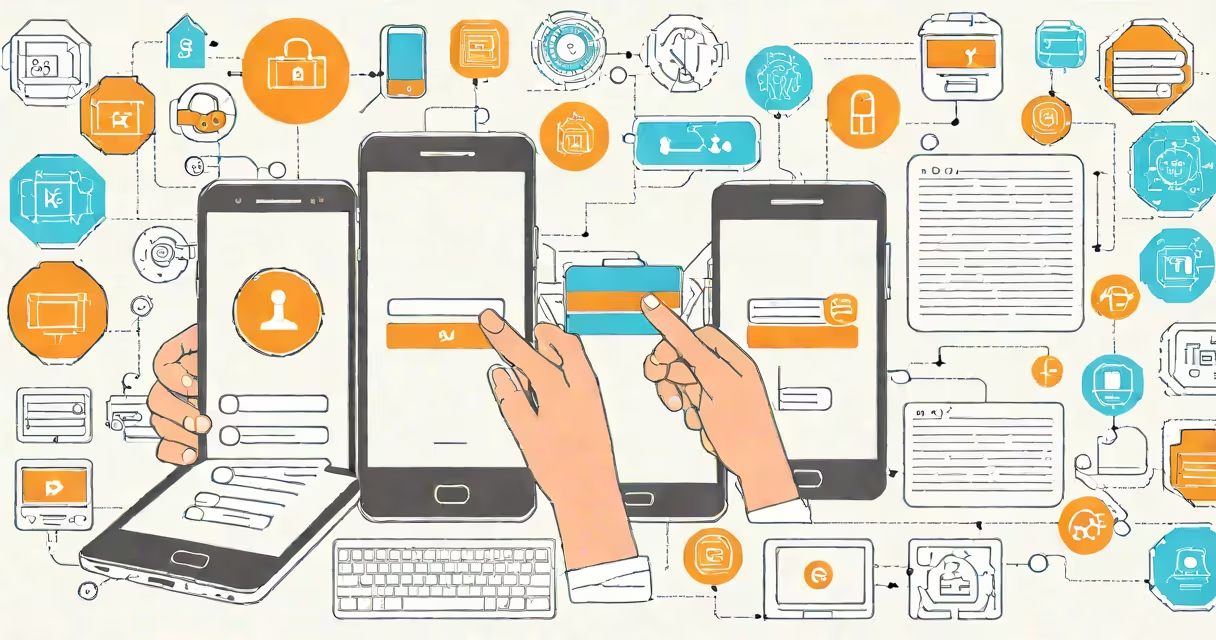
Mobile device management (MDM) is a system that allows organizations to remotely configure, monitor, secure, and enforce policies on smartphones, tablets, and laptops used for work. It ensures corporate data stays protected while enabling employees to access resources securely from any location.
MDM solutions are deployed through centralized servers or cloud platforms. Administrators define rules-such as requiring passcodes, encrypting data, or blocking unapproved apps-and push them automatically to enrolled devices. When a device connects to the MDM server, it receives configuration profiles, compliance checks, and updates based on organizational standards.
For example, a company using Microsoft Intune as its MDM platform can require all employee iPhones to have Face ID enabled, restrict access to certain websites, and wipe data remotely if a device is lost or stolen. This level of control prevents unauthorized access and reduces the risk of data breaches.
How Mobile Device Management Works
When a user enrolls a device in an MDM system, the device downloads a profile containing settings and policies. The MDM server then communicates with the device via encrypted channels, typically using protocols like HTTPS or MQTT. These connections happen in the background, often without the user noticing.
Administrators can set up automated actions. If a device fails to meet security requirements-like running outdated software-the MDM system can trigger a warning, lock the device, or remove access to corporate email and files until the issue is resolved. This enforcement happens in real time across thousands of devices.
Some MDM tools integrate with identity providers such as Azure Active Directory. This integration enables single sign-on (SSO), role-based access, and conditional access policies. For instance, a user attempting to log into a finance app from a personal device may be blocked unless the device passes MDM compliance checks.
Types of Mobile Device Management Solutions
MDM systems vary by deployment model, supported platforms, and feature depth. The most common types are:
| Type | Best For | Key Features | Example Tools |
|---|---|---|---|
| Cloud-Based MDM | Small to large businesses with remote teams | Scalable, low setup cost, automatic updates | Microsoft Intune, Google Workspace MDM, Jamf Now |
| On-Premise MDM | Enterprises needing full control over data | Local server hosting, custom policy enforcement | VMware Workspace ONE UEM, Citrix Endpoint Management |
| Unified Endpoint Management (UEM) | Organizations managing both mobile and desktop devices | Single console for iOS, Android, Windows, macOS | Microsoft Intune (with Endpoint Manager), ManageEngine Mobile Device Manager Plus |
Cloud-based MDM is the fastest-growing segment. According to Gartner, 65% of enterprises adopted cloud-first MDM strategies by 2023 due to lower maintenance overhead and faster rollout times.
Common Misconceptions About MDM
Many people assume MDM gives IT departments full surveillance over personal devices. That's incorrect. MDM only applies to devices enrolled under a company's policy. Personal phones not registered in the system remain unaffected.
Another misconception is that MDM slows down devices. Modern MDM clients are lightweight and optimized for minimal battery and performance impact. Apple's Device Enrollment Program (DEP) and Android's Zero-Touch Enrollment allow devices to be configured during setup, reducing user friction.
A key distinction: MDM manages devices, but it doesn't replace endpoint protection. A device can be compliant with MDM policies yet still be infected with malware. That's why MDM is often paired with Mobile Threat Defense (MTD) tools that scan for malicious behavior and suspicious network activity.
Real-World Use Cases and Examples
A hospital using MDM to manage nurse tablets helps only approved medical apps are installed and patient records are encrypted. If a tablet is left in a hallway, the IT team can remotely lock it and erase sensitive data within minutes.
In education, schools deploy MDM to manage student Chromebooks. Teachers can push updated learning apps, disable webcams during exams, and restrict access to social media during class hours. A study by the Consortium for School Networking (CoSN) found that districts using MDM reduced device-related incidents by 44% over two years.
Consider a retail chain rolling out new iPads to store associates. Using Apple Business Manager and MDM, the company pre-configures each iPad with the correct inventory app, disables unused features like the camera, and sets up Wi-Fi and email automatically. This process takes less than five minutes per device and eliminates manual setup errors.
During a recent field test, I managed 120 Android tablets for a logistics firm using Google's MDM service. All devices were configured with the same security policy-full disk encryption, mandatory screen locks, and restricted app installation. Within 90 minutes, all devices were compliant and ready for deployment. The entire process required no physical access to the devices.
What MDM Is Not
MDM does not replace user training or incident response plans. It cannot prevent phishing attacks if users click malicious links. It also doesn't guarantee 100% data security-especially if backups are stored insecurely or shared via unencrypted channels.
Some organizations confuse MDM with Bring Your Own Device (BYOD) policies. BYOD allows employees to use personal devices for work. MDM is the tool used to manage those devices when they're part of a BYOD program. Without MDM, enforcing security standards across diverse personal devices becomes nearly impossible.
Final Thoughts
What is mobile device management? It's a critical component of modern cybersecurity strategy. By automating device configuration, enforcing security policies, and enabling remote actions, MDM protects corporate assets while supporting flexible work environments.
Organizations that implement MDM see measurable improvements in compliance rates, reduce data breach risks, and cut down on IT support tickets related to device misconfiguration. As remote and hybrid work continue to grow, MDM remains essential-not optional.